 MedAssistant
Send a questionnaire
By email, text message, QR code or shareable link, to one patient or a list.
You send from Send forms, with the Professional or Assistant role. The same page also sends a document to read or the pre-visit agent.
Create a send
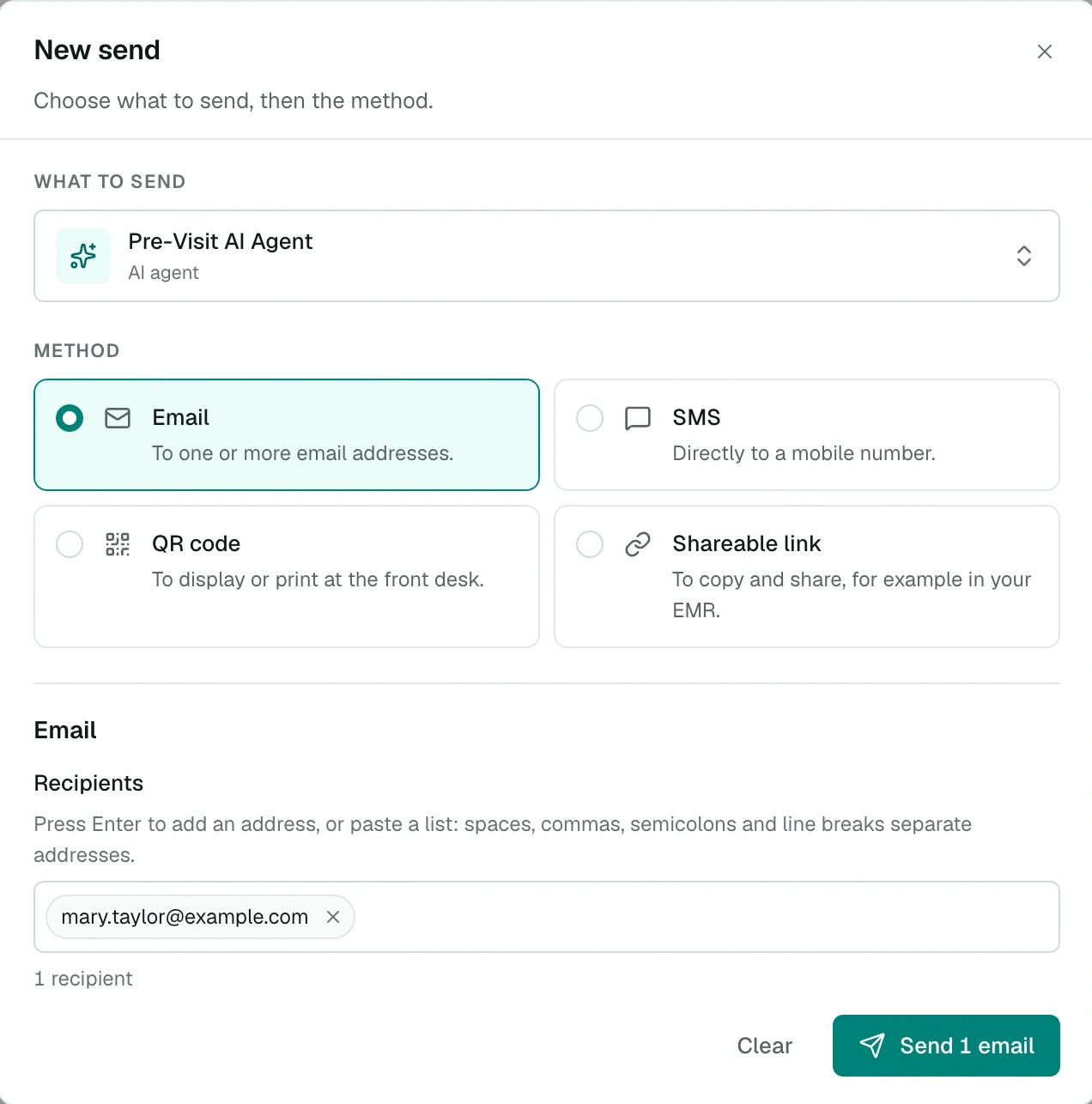
Choose New send.
Under What to send, choose a questionnaire, a document or the AI agent.
Choose the Method:
- Email: type an address and press Enter, or paste a list; spaces, commas, semicolons and line breaks separate addresses. Up to 100 addresses per send.
- SMS: a 10-digit North American cell number.
- QR code: Generate QR code, then Print to display it at reception.
- Shareable link: Generate link, then copy it, for example into your EMR or an appointment reminder.
Send. The patient receives a personal link to the questionnaire.
Validity period
| Method | Validity |
|---|---|
| Email, SMS | Personal link valid for 30 days, closed as soon as the questionnaire is completed |
| QR code, shareable link | Shared link, open until you disable it; only one active link per questionnaire |
A QR code or shareable link works for every patient: each one fills in their own questionnaire. If a link is already active for this questionnaire, the method shows Already active and you will find it in the history.
Your organization can make up to 1,000 sends per day.
Send history
The Send history lists each send with its date, questionnaire, method, recipient, status and sender. Search for an email, a number or a questionnaire, and filter by method or status.
| Status | Meaning |
|---|---|
| Active | The link is open |
| Completed | The patient filled in the questionnaire |
| Deactivated | You closed the link |
| Expired | The 30-day period has passed |
Actions on a send:
- Copy link: copies the link with a short message for the patient;
- Print QR code;
- Disable or Re-enable the link or QR code.
Add the questionnaire to your EMR
Copy the shareable link into the field provided by your EMR or your appointment reminder tool. The patient receives the link with their reminder. A short message helps them understand what to do, for example:
Please fill in this questionnaire before your appointment:
[questionnaire link]
Our tips
- Send the questionnaire the day before or the day of the appointment: answers are more accurate when symptoms are fresh.
- Text messages usually work better than email.
- Keep a tablet in the waiting room for patients who could not answer beforehand. See Fill in at the clinic.