 MedAssistant
Pre-visit agent
Clara, the AI agent, prepares the appointment through a written or spoken conversation with the patient.
The pre-visit agent is a virtual assistant, Clara, who talks with the patient before their appointment. Like a questionnaire, it gathers the reason for consultation and the history of the problem; but it does so through a conversation, written or spoken, that adapts to each answer. You receive a summary and the full conversation in your inbox.
Share the agent with your patients
- By email or text message: in Send forms, choose AI agent under What to send. The patient receives a link to the Pre-Visit AI Agent. See Send a questionnaire.
- By QR code or shareable link: same page, method QR code or Shareable link. Both lead to your organization's agent page.
- To try it: the Pre-visit agent entry in the sidebar opens the agent page in a new tab.
What the patient sees
Your information: first name, last name, date of birth and sex at birth.
Your professional: the patient chooses the professional they are seeing, if your clinic has more than one.
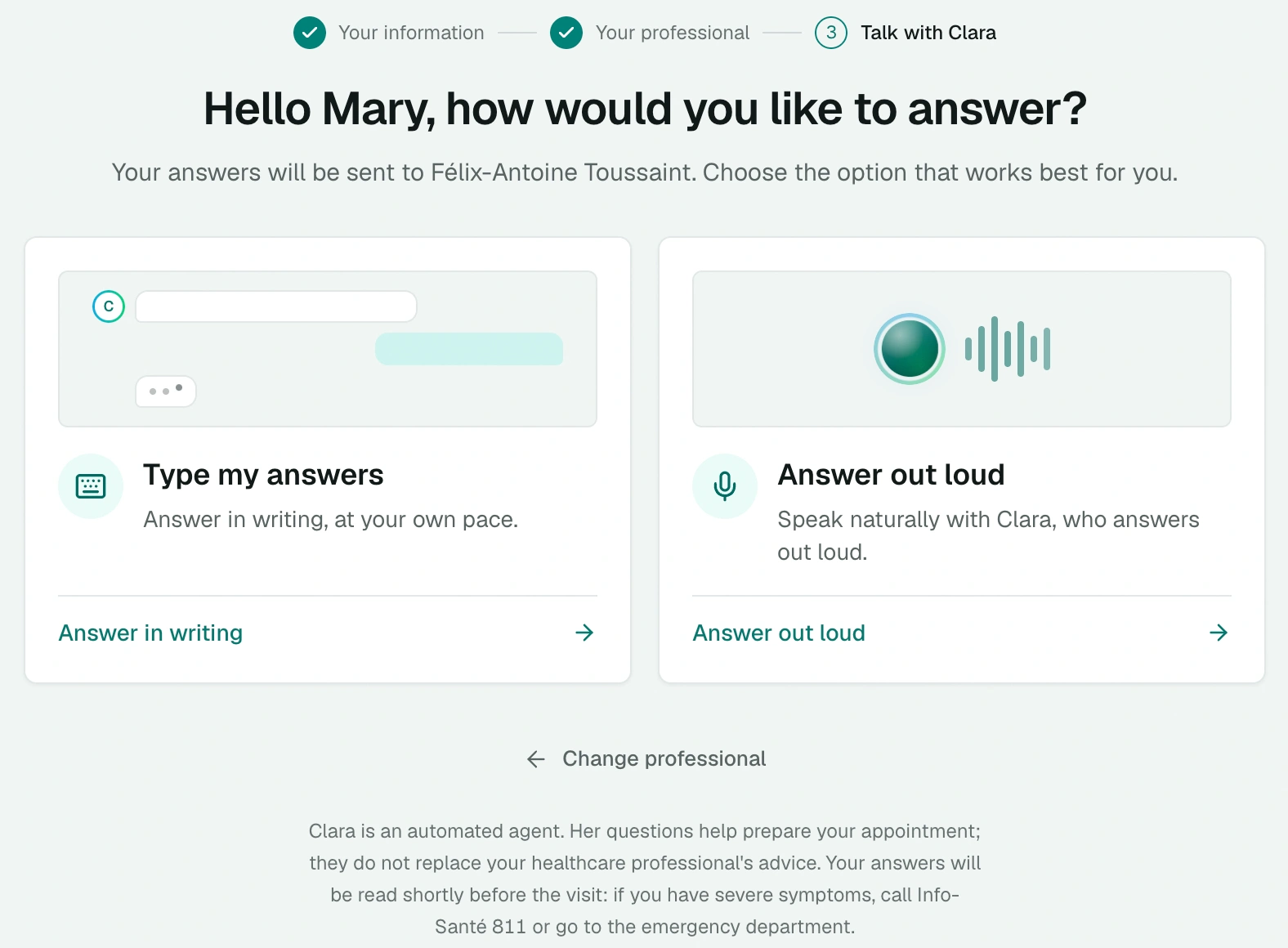
The answer mode:
- Type my answers, at their own pace, with suggested answers;
- Answer out loud: Clara asks her questions and replies out loud; the patient sets the voice speed.
The conversation: Clara asks one question at a time. The written conversation is saved on the device for 48 hours: the patient can pick it up where they left off.
The end: End offers End and transmit or End without transmitting (the answers are then deleted). Before sending, the Review before sending screen shows the summary; the patient can go back to correct a point, then choose Send to my professional.
The language chosen at the start stays the same until the end of the conversation. Clara reminds the patient that she does not replace a professional's advice and that if things get worse, they should call Info-Santé 811 or go to the emergency room.
The agent's report
The report arrives in the inbox with the type Agent, labelled with the reason for consultation. Until the conversation is finished, the row shows Report in preparation.
- The Conversation tab shows the AI note, the summary written by the agent, then the full conversation. You can edit, copy and Regenerate the summary; Copy conversation copies the whole exchange.
- The Recordings tab gathers the Scribe notes recorded from this report. See Scribe with a questionnaire or an agent.
- Edit consultation reason, in the ⋯ menu, corrects the reason in French and English.
On a tablet
The agent can also welcome patients in self-service on a clinic tablet: the conversation restarts on its own for the next patient. To set up this mode, write to us at [email protected].
The agent's summary reflects what the patient reported. It prepares the consultation and does not replace your assessment.