 MedAssistant
Account settings
Profile, language, notifications, interface, theme, password and two-factor authentication.
Open Settings from the sidebar or the account menu. The page groups three families of settings: Account, Scribe and, for some managers, Administration. Search settings… (⌘ K) finds a section or a setting; Back returns to the app.
Personal information
- First name and Last name, required.
- Phone, in the format (123) 456-7890.
- Professional title, for example "Dr.", shown with your name.
Your email is your username: it can't be changed here. To change it, write to us.
Preferences
Preferred language
The language of the interface and of the emails you receive: French or English. You can also change it in the account menu.
Email notifications
With the Professional role, Form completions sends you an email every time a questionnaire is completed:
- All forms;
- or Only selected forms, chosen from the list. With no form selected, no email is sent.
The selection applies to all your organizations.
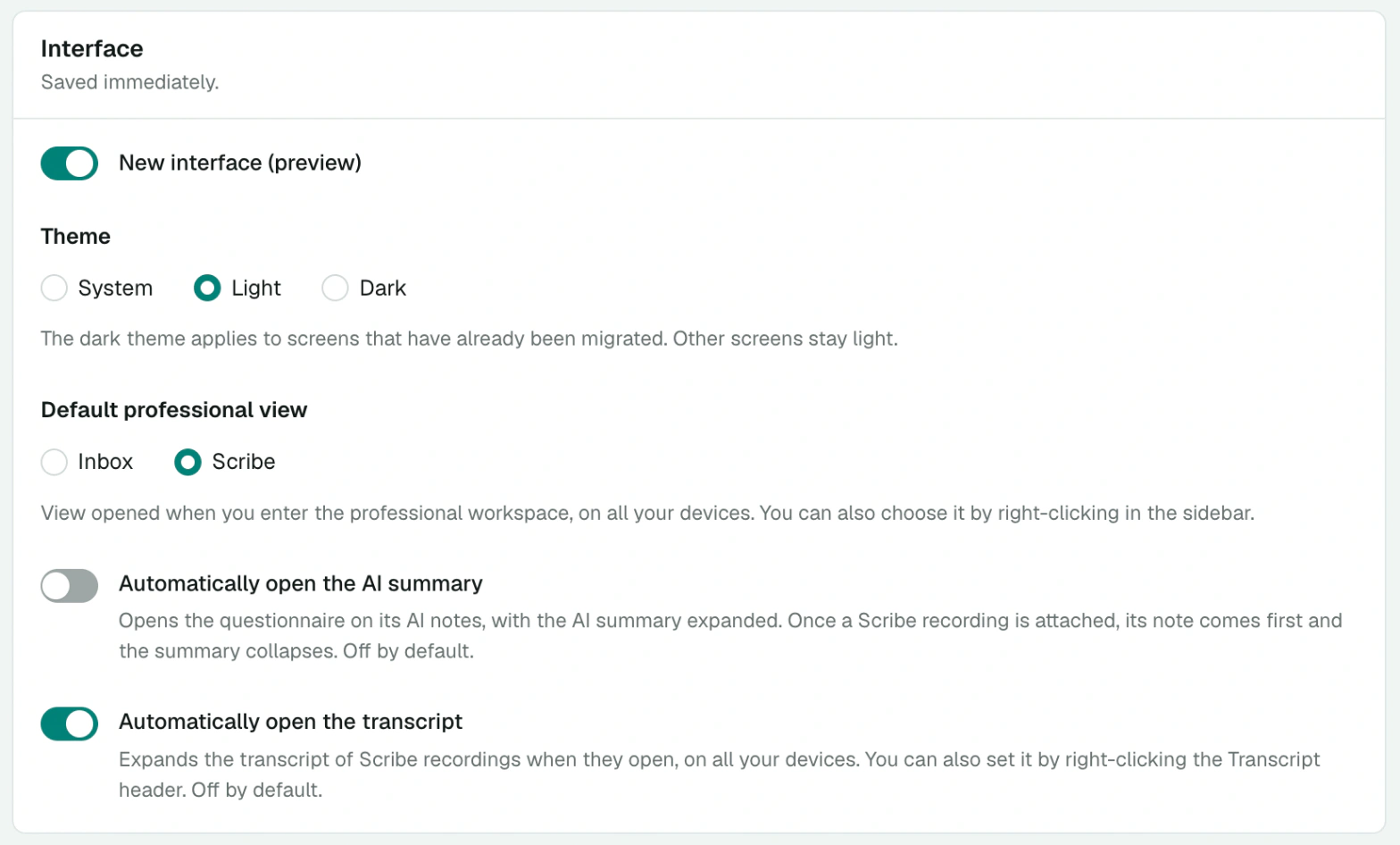
Interface
These settings are saved immediately.
- New interface: uncheck it to go back to the previous interface.
- Theme: System, Light or Dark. Screens of the previous interface stay light.
- Default professional view: Inbox or Scribe, the page that opens when you enter the professional workspace, on all your devices. Right-clicking these entries in the sidebar does the same thing.
- Automatically open the AI summary: a questionnaire opens on its AI notes, with the summary expanded. Off by default.
- Automatically open the transcript: the transcript of Scribe recordings is expanded when they open. Off by default.
Security
- Change password sends you an email to choose a new password.
- Two-Factor Authentication (2FA): in addition to your password, you're asked for a code from an authenticator app (Google Authenticator, Microsoft Authenticator) when you log in. Enable 2FA starts setting up your app; Disable 2FA removes it.
Turn on 2FA
Your account gives access to health information. Two-factor authentication protects it even if your password is compromised.
Scribe
The Scribe settings have their own pages:
- Scribe: default mode, transcription language and text at the end of notes. See Scribe settings.
- Note preferences. See Note preferences.
- Templates. See Exam templates.
Other actions
- Create another account creates a new organization, with its own subscription. See Create your account.
- Logout.