 MedAssistant
Patients
One record per patient brings together their visits, questionnaires and agent reports, from every professional in the organization.
The Patients page brings together your organization's records. A record keeps the patient's identity and gathers their documents: Scribe visits and their follow-ups, questionnaires and pre-visit agent reports, whoever the professional who made them.
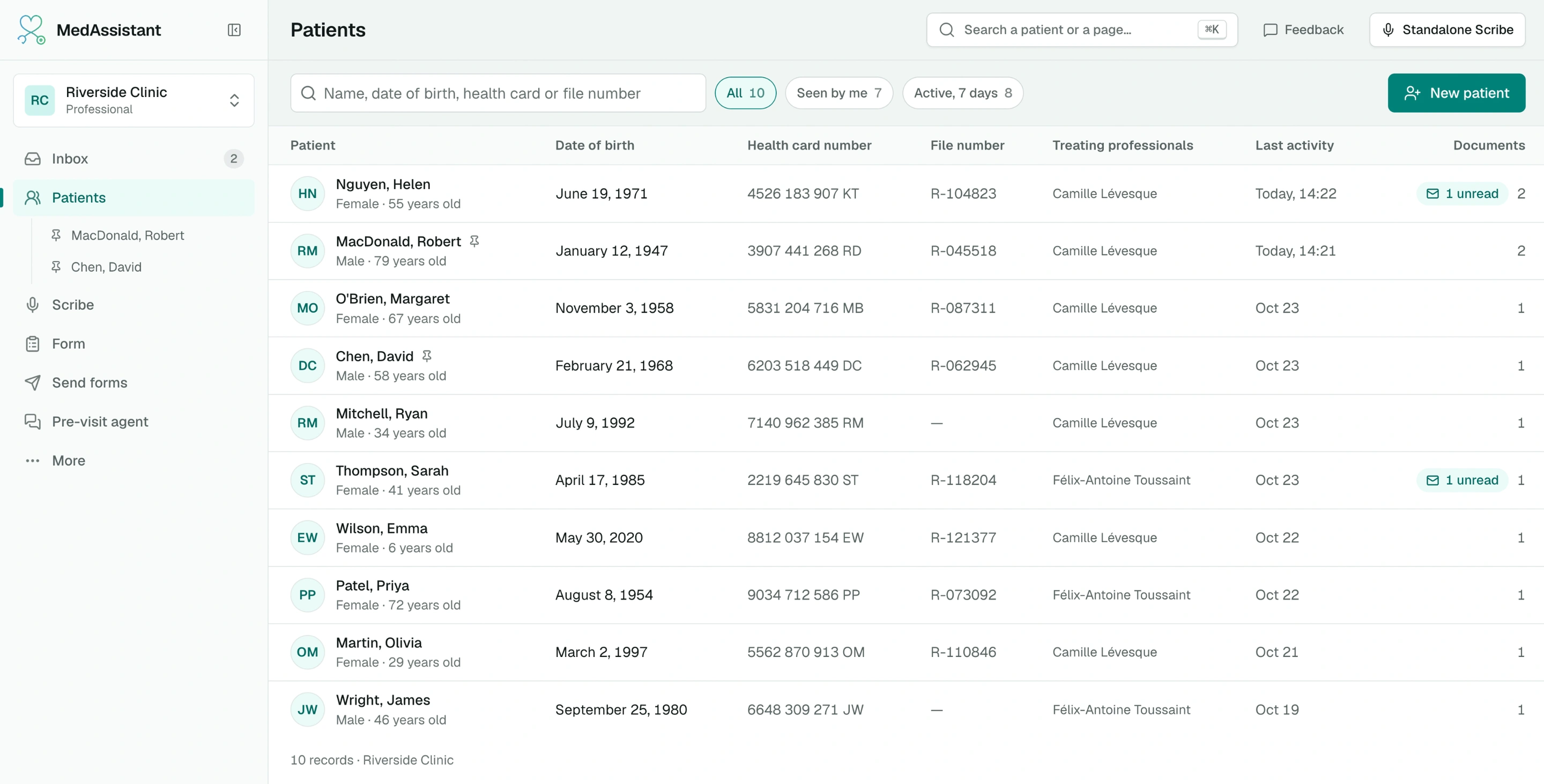
The list
One line per record, from the most recently active to the oldest. Each line shows the patient (sex and age), their date of birth, health card number, File number, Treating professionals, Last activity and number of documents, with the unread ones.
- Search: type the beginning of the last or first name (without accents), the date of birth (1987, 1987-03-12 or 12/03/1987), the health card number or the file number.
- All, Seen by me, Active, 7 days: all records, those you are a treating professional for or created, or those with a document from the last 7 days.
- New patient creates a record. If a record already has the same name, an alert shows it: check the date of birth before creating another one.
Treating professionals come from the documents: authors of the visits, recipients of the questionnaires, professional chosen for the agent. Nothing to keep up to date.
The record
Click a patient to open their record.
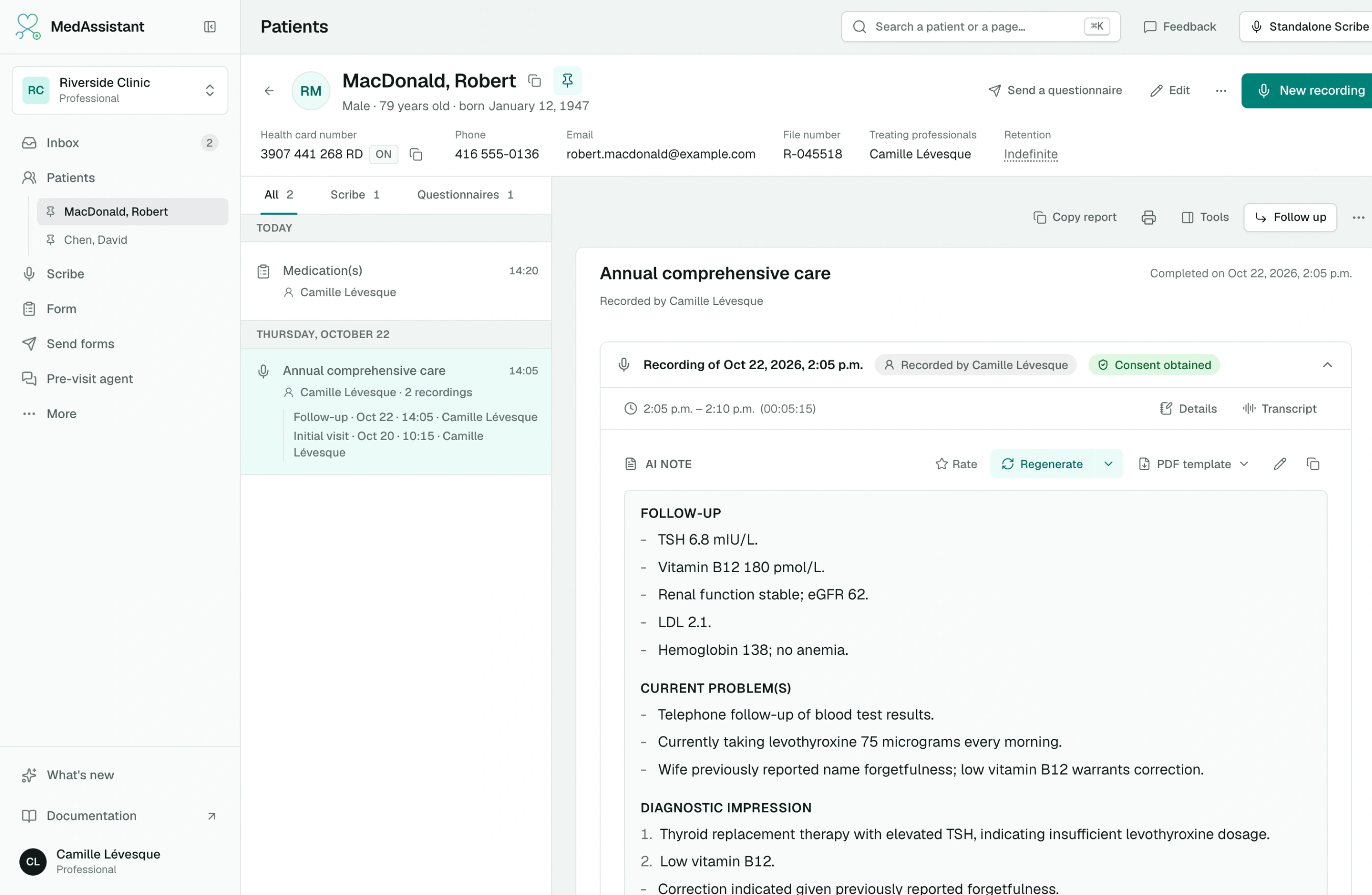
- At the top, the record's identity: health card number (with its copy button), phone, email, guardian, File number, Treating professionals and Retention.
- On the left, the timeline, grouped by day. The All, Scribe, Questionnaires and Agent tabs filter it. A visit lists its recordings: Initial visit, then each Follow-up.
- On the right, the chosen document, titled by its reason: the patient's identity is already at the top. Copy report and printing keep it. Opening it marks it as read.
You see the documents of every professional in the organization. A recording's transcript stays reserved for its author.
Edit corrects the record's identity: every document in the record is updated. The ⋯ menu offers Copy identity, Merge with another record… and Delete record…; a deleted record leaves its documents without a record.
Pin a patient
The pin next to the name (Pin) adds the patient under Patients in the sidebar: one click per patient during rounds. A dot shows their unread documents. Clicking the pin again (Pinned) removes it. The list is personal: your colleagues have their own.
Send a questionnaire
Send a questionnaire opens sending with the record's email and phone. When the patient answers and the identity they enter matches the record, the response joins their record. If a detail differs, the inbox suggests the record: you then choose the value to keep.
Merge two records
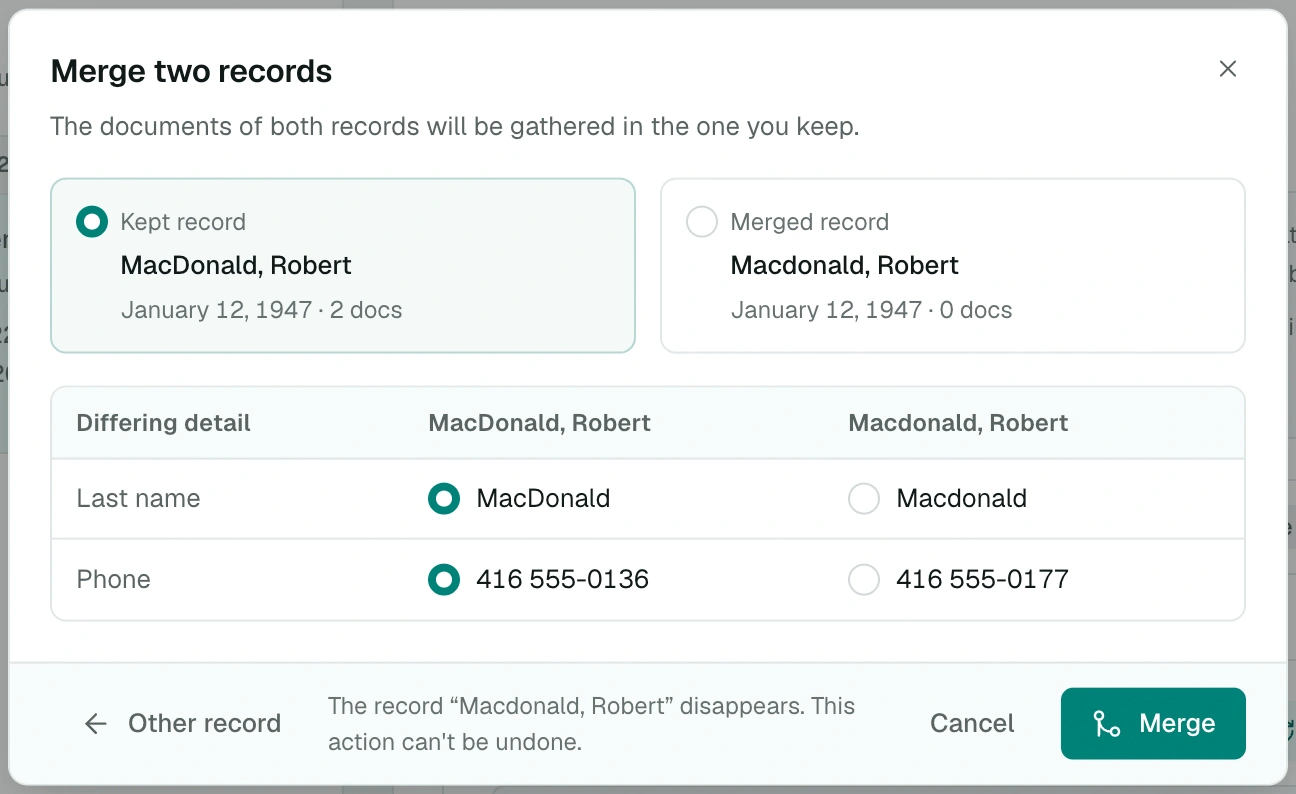
Two records for the same person? In the record's ⋯ menu, choose Merge with another record…, then the other record. Choose the Kept record, then, for each differing detail, the value to keep. Merge gathers the documents of both records; links to the other record then lead to this one. A merge can't be undone.
Record from the patient record
New recording opens the Scribe in the Tools column, already linked to the patient: the new visit takes the record's identity. You can read other documents or open another record during the recording: it stays linked to this patient. Once the note is generated, the visit appears in the timeline.
In a document of the record, Follow up opens the Scribe on that document: the recording is added to the visit, the questionnaire or the agent report. Tools opens the Scribe linked to the patient. The identity is not edited in the document: Edit, at the top of the record, changes it for the record and all its documents.
Link a document to a record
A document is linked to a record when you identify its patient:
- in the Scribe, Identify patient suggests the organization's records. Choose one, or create the record in the same place. See Identify the patient;
- in a questionnaire filled in at a professional's desk, Choose a patient right at identification. See Fill in at the clinic;
- in an inbox report, click the patient's name or choose Edit identification in the ⋯ menu.
Each suggestion shows the date of birth, age, end of the health card number and treating professionals, to tell two patients with the same name apart.
Search for a patient anywhere
⌘ K (or Ctrl K) searches patients first, one result per person, then documents and pages. Without a search, the palette suggests Your recent patients. Choosing a patient opens their record.
How long a record is kept
A record has its own retention period, set by the manager and counted from its last activity: creation, edit or new document. By default, it is kept 1 year. The date shows in Retention, at the top of the record. See Data retention.
When a document in the record is deleted according to its own period, the record keeps a trace of it: its type, date and author, without reason or content.
Who has access
Records are reserved for the organization's professionals. Assistants don't have access; the manager only sets their retention.