 MedAssistant
Scribe
Identify the patient
Add the patient's identity to a standalone note, before or after the recording.
A note created from a questionnaire or an agent report uses the identity provided by the patient. For a standalone note, identification is manual and optional: without it, the note shows as Anonymous in the inbox.
Add identification
- In the Scribe, choose Identify patient, before or after the recording.
- Fill in at least the First name and Last name. The other fields are optional.
- Save.
For a note that has already been generated, open the report and click the patient's name, or choose Edit identification in the ⋯ menu.
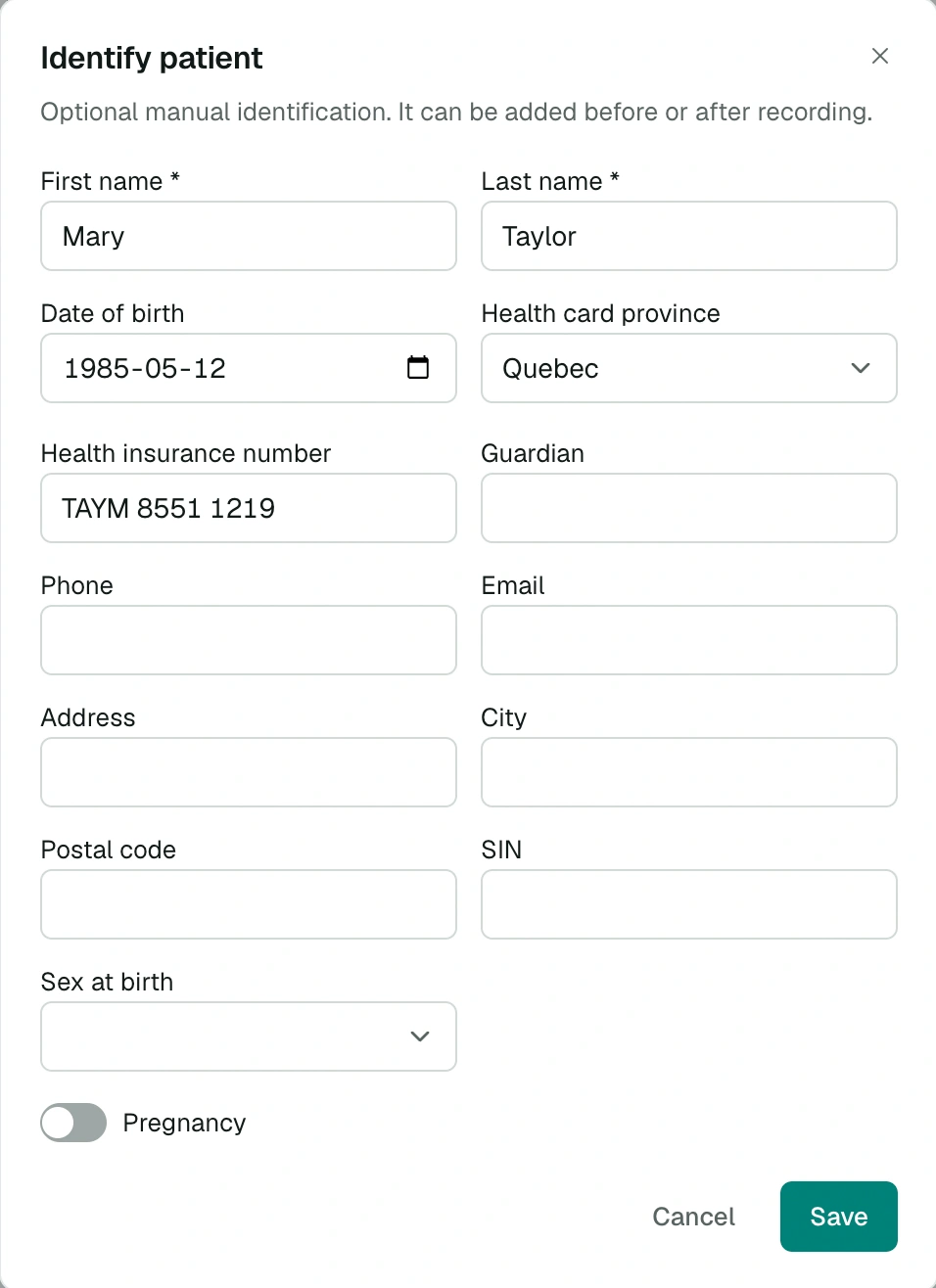
Fields
| Field | Details |
|---|---|
| First name, Last name | Required |
| Date of birth | No future date |
| Health card number and Health card province | Quebec by default; the format follows the selected province |
| Guardian | For a child or a represented person |
| Phone | 10 digits |
| Address, City, Postal code | The address is completed automatically |
| SIN | 9 digits, verified |
| Sex at birth, Pregnancy | Pregnancy is hidden if sex is male |
Health card number formats
| Province | Format |
|---|---|
| Quebec | 4 letters and 8 digits |
| Ontario | 10 digits, followed by an optional version code |
| British Columbia | 10 digits starting with 9 |
| Newfoundland and Labrador | 12 digits |
| Nova Scotia | 10 digits |
| Prince Edward Island | 8 digits |
| Northwest Territories | 1 letter and 7 digits |
| Other provinces and territories | 9 digits |
Changing the province reformats the number entered.
Clear identification
Clear identification erases the information entered. The note itself is kept.
Copy the information
In the report, the identification panel shows each piece of information with a copy button, handy for filling in your EMR.