 MedAssistant
Follow-ups and interrupted recordings
Add a new recording to the same report and resume a recording that was cut off.
Seeing a patient again, or did the visit resume after a break? Add the new recording to the same report: the follow-up note builds on the previous notes, and the inbox keeps a single line per visit.
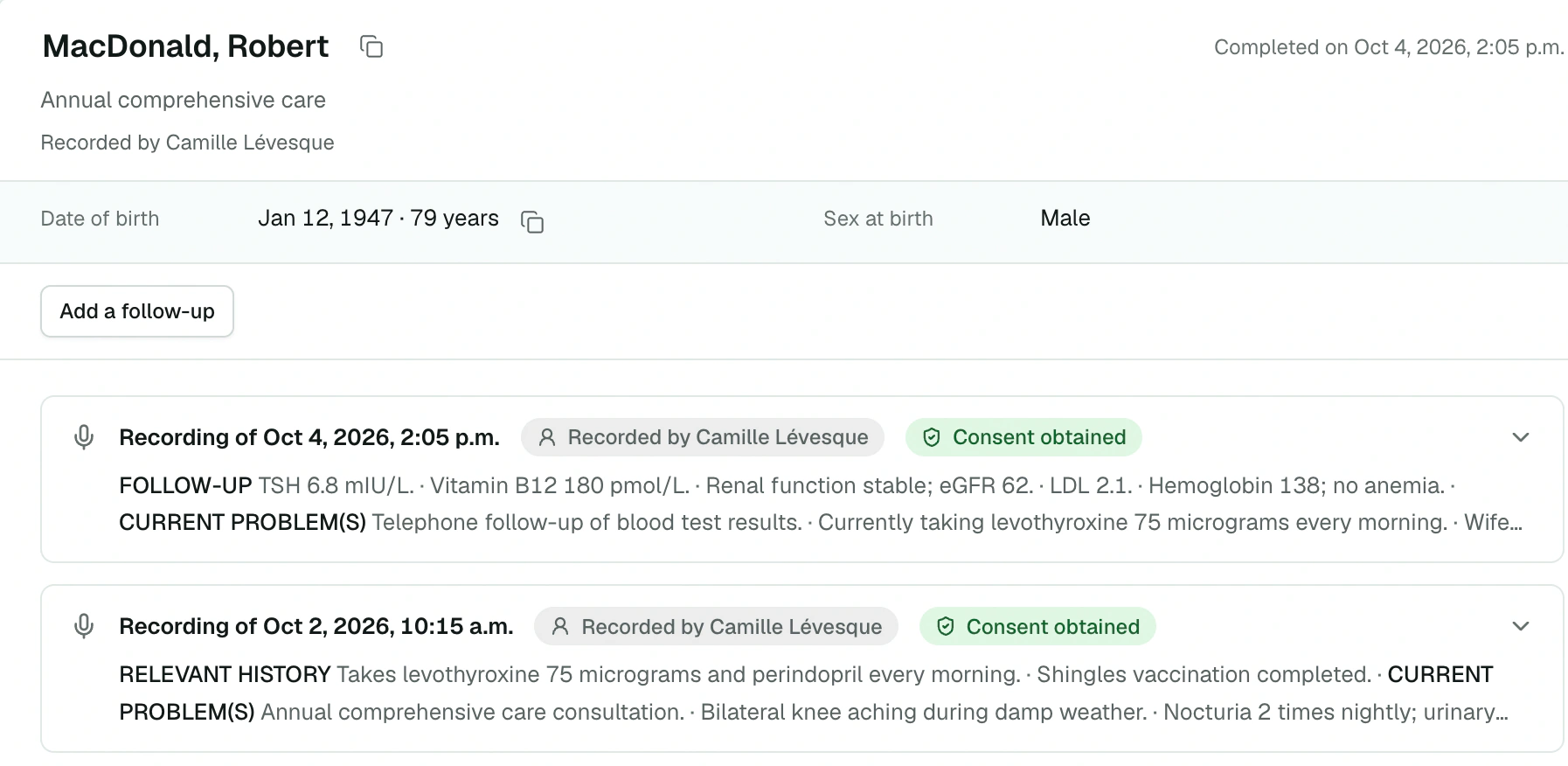
Add a follow-up
In the inbox, open the Scribe report.
Click Add a follow-up, at the top of the report.
The Scribe opens in the Tools panel, with the banner The note will be added to this report. Record as usual.
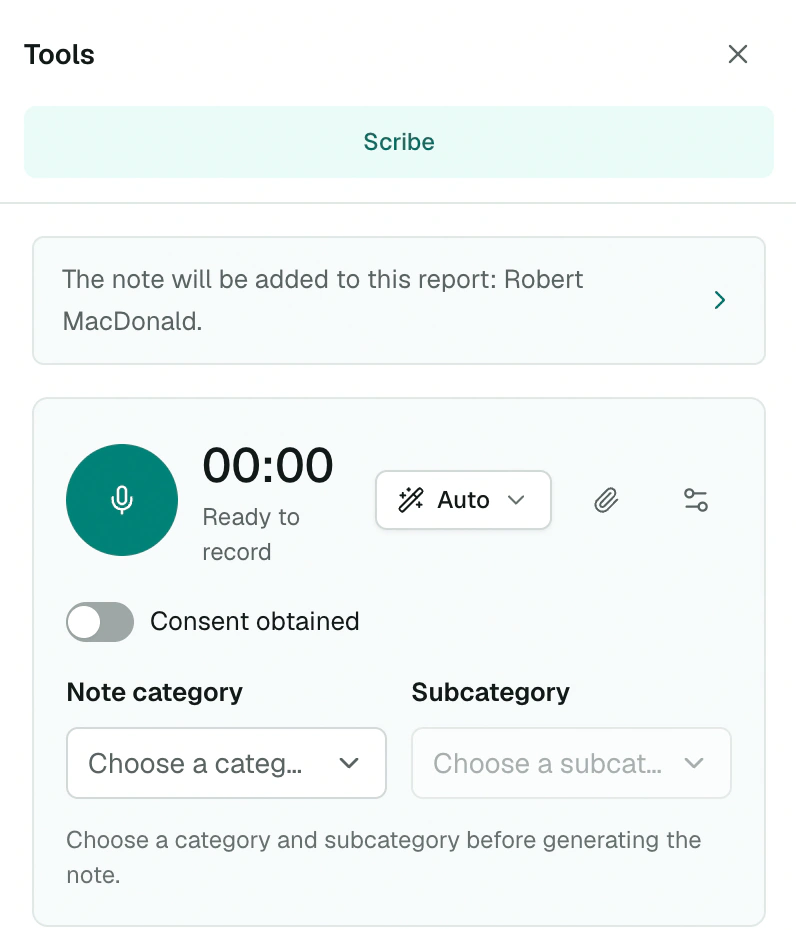
The patient's identification is taken from the report. You can choose another category, mode or attachments for this follow-up.
A note that keeps track
The Scribe rereads the note of every previous recording in the report, in its corrected version if you edited it. It uses them to report what changed since the last visit, without presenting earlier symptoms, results or treatments as current. Each note stays dated on the day of its visit.
The follow-up note rereads the previous notes, not their transcripts or attachments: anything that matters going forward needs to be in the note.
In the inbox and the report
- A single line per visit, however many follow-ups it has. It moves back to the top with each new follow-up.
- In the report, each recording has its own Recording of… card, the most recent first and open. The Consent obtained and Generation not completed badges, or the number of versions, appear on the card.
- Mark as read, Archive and Delete in the inbox apply to the whole visit, follow-ups included.
Follow-ups are added to your own Scribe reports. Colleagues with access to the report can read the notes of every follow-up.
Resume an interrupted recording
A recording cut off before its note (tab closed, connection lost) appears in the report with the Generation not completed block. You have two choices:
- Generate transcript and note: the note is written from the audio already received;
- Continue recording: the note for the part received is written, then the Scribe opens to record the rest as a follow-up to the same report.
Choose the category first. Only the person who made the recording can resume it.