 MedAssistant
Online booking
Turn on your booking link, set your rules and see what the patient experiences.
Online booking lets your patients book appointments themselves, within your working hours. You set it up in the Booking and sync tab.
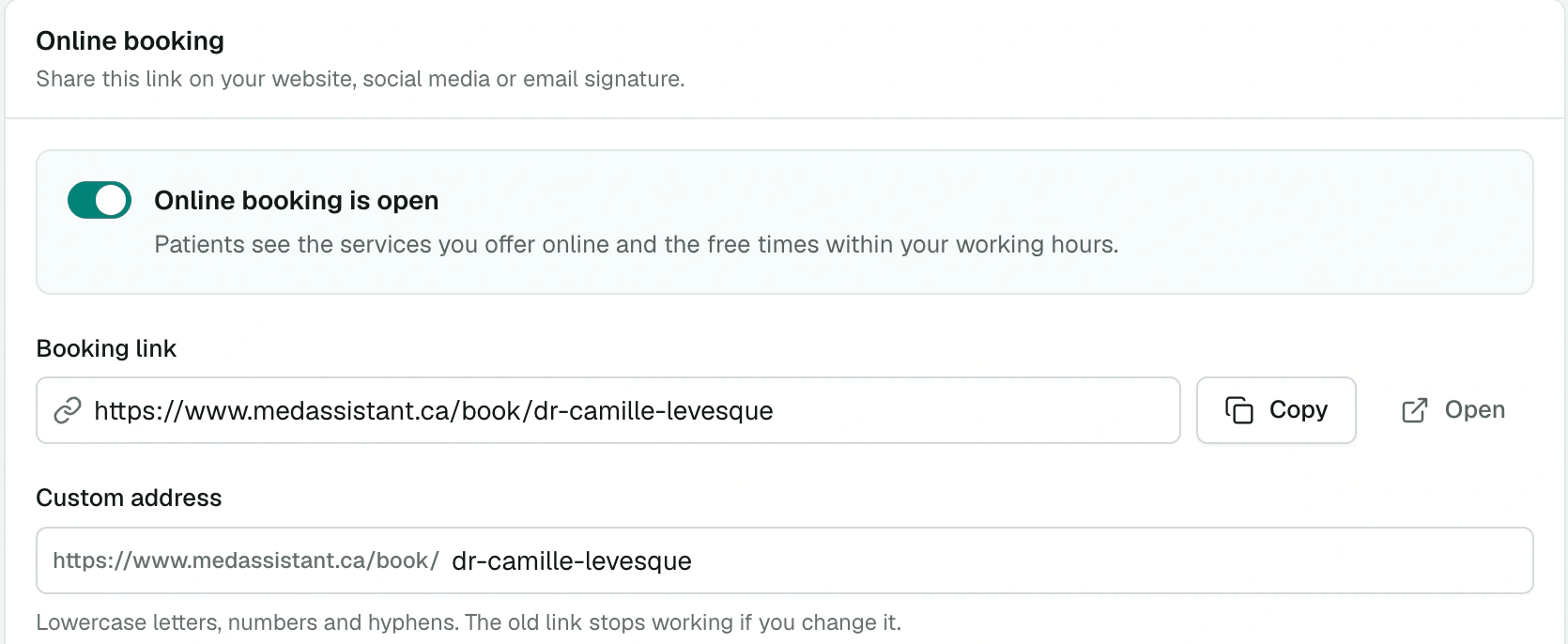
Open booking
The switch shows Online booking is open or Online booking is closed. To open it, you need at least one working-hours range and one service offered online.
Copy the Booking link with Copy or open it with Open. Share it on your website, social media or email signature.
Your rules
| Setting | Values |
|---|---|
| Custom address | 3 to 60 characters: lowercase letters, numbers and hyphens. Changing it makes the old link unusable. |
| Minimum notice (days) | From 1 to 30. With 1, no same-day bookings. |
| Bookable up to (days) | From 7 to 365, more than the minimum notice |
| Start times | Every 15, 30 or 60 minutes |
| Time between appointments | From 0 to 240 minutes |
What the patient experiences
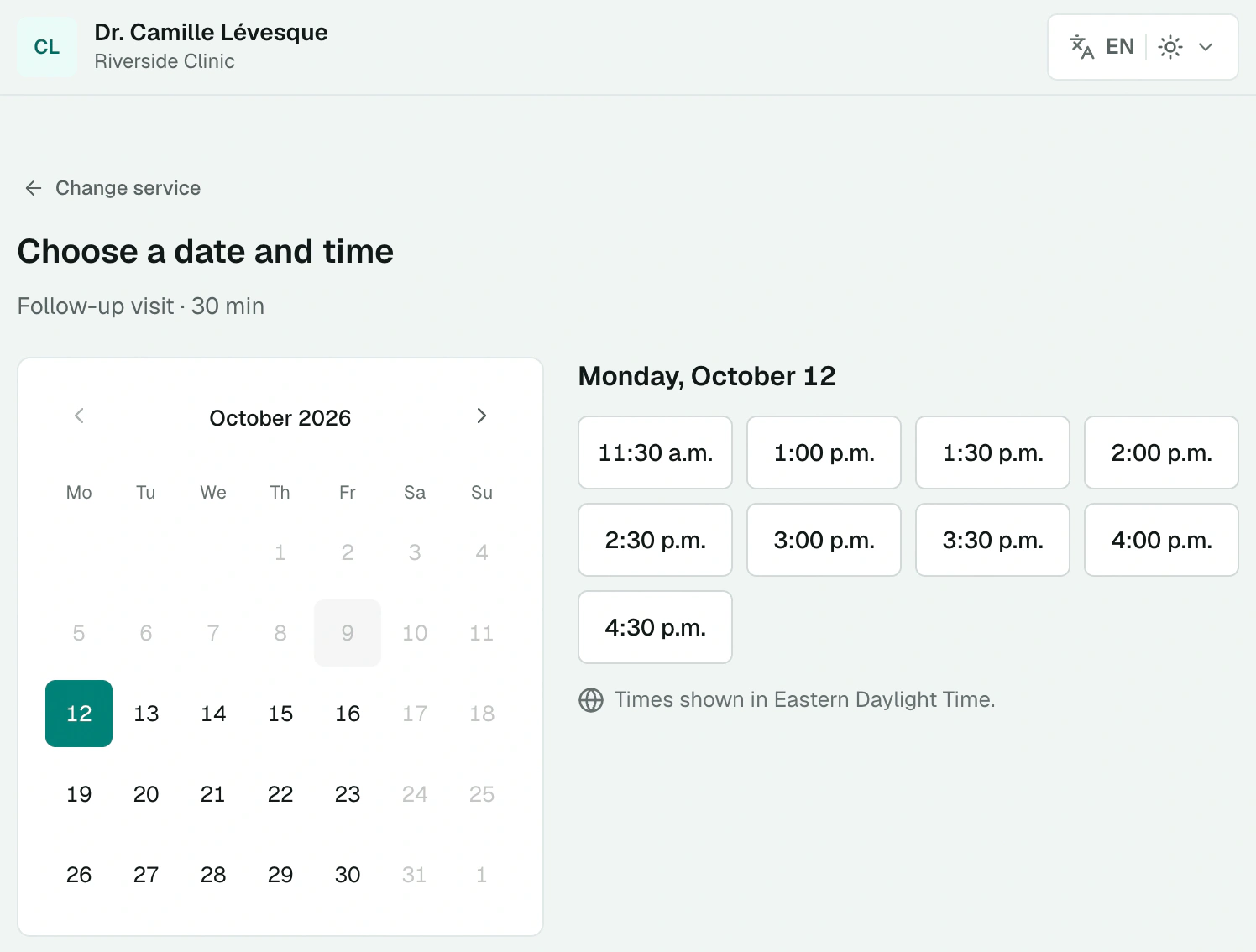
Choose a service. The patient sees the duration, the listed price and, if applicable, that a questionnaire must be completed before the visit.
Choose a date and time from the available slots.
Your details: name, date of birth, email and cell phone.
Your appointment is confirmed. The patient can download the appointment for their calendar and complete the questionnaire right away.
The patient receives a confirmation by email and text message, with a personal link to change the time of their appointment. They can do this as long as the appointment is upcoming and booking stays open. To cancel, the patient contacts your clinic.
You receive an email for every appointment booked online and every time change.
Abuse protection
A single booking page accepts at most 10 bookings per hour. If a time slot was just taken by someone else, the patient is asked to choose another one.
The pre-visit questionnaire
The questionnaire linked to the service goes out as soon as the appointment is booked. If it isn't completed, the patient receives at most two email reminders:
- the day after booking;
- the day before the appointment.
Reminders go out between 8 a.m. and 8 p.m., never in the two hours before the appointment, and stop as soon as the questionnaire is completed or the appointment is cancelled. The report arrives in your inbox and also opens from the appointment details.